

A hosting plan that costs very little in the first year can cost two to four times as much when it renews. That jump surprises many beginners in India, not because the host hid a charge, but because the first price and the renewal price are two different prices, and most buyers only notice the first one.
The direct answer: cheap hosting is usually cheap for the first term only. The low price is an introductory offer tied to a long term that you pay for upfront. When that term ends, the plan renews at the regular rate. Before you buy, find the renewal rate on the pricing page or in the checkout order summary, work out the total for the full term, add tax, and compare plans on the renewal price, not only on the first price. That one check removes most of the shock.
This guide from Padhaku explains how the renewal price trap works, shows a reported India price example with clear limits, and gives you a checklist you can use before you pay for any plan.
What the renewal price trap actually is
Hosting companies sell the first term at a discount to win new customers. The discount applies to the first term you buy, whether that term is 12 months, 36 months, or 48 months. After that term, the same plan, on the same account, renews at the regular rate unless a new promotion applies.
Three details decide how big the jump feels:
- The term length. The lowest per-month price usually needs the longest term, paid in full upfront. A price shown as Rs 149 per month on a 48-month term means a single upfront payment for 48 months, not a monthly bill of Rs 149.
- The discount depth. The deeper the first-term discount, the larger the step up at renewal. A plan discounted by 80 percent has much further to climb than a plan discounted by 30 percent.
- What is bundled only for the first term. A free domain, a free mailbox, or a free add-on may cover the first year only. From the second year, each of those can become a separate renewal charge, so the total bill can rise even if the plan price itself stays the same.
None of this means every cheap host is a bad host. It means the advertised price is the starting price, not the long-term price, and a fair comparison needs both numbers.
Why the renewal bill is higher
Think of it as two prices for one plan. The first price is a new-customer offer. The second price is the standard price that existing customers pay. Guides that track this pattern point out the same mechanism across the industry: the per-month figure is the term total divided by the number of months, and the renewal rate is shown separately, often in smaller text in the checkout order summary.
That is why two plans can look close at signup and far apart at renewal. A plan with a very low first price and a high renewal rate can cost more over eight years than a plan with a moderate first price and a gentler renewal rate. The only way to see that is to compare the renewal rates side by side, over the same term length, with tax included.
If you are still deciding how to set up a WordPress site at all, our WordPress.org vs WordPress.com comparison explains the difference between self-hosted WordPress and hosted WordPress.com, which affects what kind of hosting you need in the first place.
A reported India example, with clear limits
The table below uses figures reported by an independent guide that checked Hostinger India pricing on 15 October 2026. The figures are per month on a 48-month term and exclude GST, which the guide notes at 18 percent. Prices change often, and this article did not re-check the live pricing page on the day of writing, so treat these numbers as an illustration of the pattern, not as a current quote. Always check the live pricing page and your own checkout total before you buy.
| Plan (as reported) | First-term price per month | Renewal price per month | What the jump looks like |
|---|---|---|---|
| Single | Rs 69 | Rs 289 | About four times the first price |
| Premium | Rs 149 | Rs 449 | About three times the first price |
| Unlimited | Rs 249 | Rs 649 | About two and a half times the first price |
Two lessons follow from this one example. First, the cheapest plan in the list has the steepest jump, because its first-term discount is the deepest. Second, the renewal price, not the first price, is the price you will pay for years. A plan that looks cheapest on day one can become the most expensive plan in the same list by the second term.
Do not turn this example into a ranking of all hosts. Other hosts use the same introductory-then-renewal structure, but their numbers, terms, and bundled extras differ, and they change with promotions. The habit matters more than any single number in this table: find the renewal rate for the exact plan and term you are about to buy.
A hypothetical worked example
This is a hypothetical example only, to explain the maths; actual results may differ. Suppose a plan is advertised at Rs 100 per month on a 48-month term, and its renewal rate is Rs 300 per month.
- First term: Rs 100 multiplied by 48 months equals Rs 4,800, paid upfront, before tax.
- Second term: Rs 300 multiplied by 48 months equals Rs 14,400, before tax.
- Over eight years, the total is Rs 19,200 before tax, and the second term alone costs three times the first term.
Now suppose a second plan costs Rs 200 per month at signup and renews at Rs 250 per month, on the same 48-month term. Its eight-year total before tax is Rs 9,600 plus Rs 12,000, which is Rs 21,600. In this hypothetical case the second plan still costs more overall, but the gap between the two plans shrinks sharply after the first term, and the monthly bill after renewal is lower. The point is not that one plan wins. The point is that you cannot judge either plan from the first price alone.
How to find the renewal price before you buy
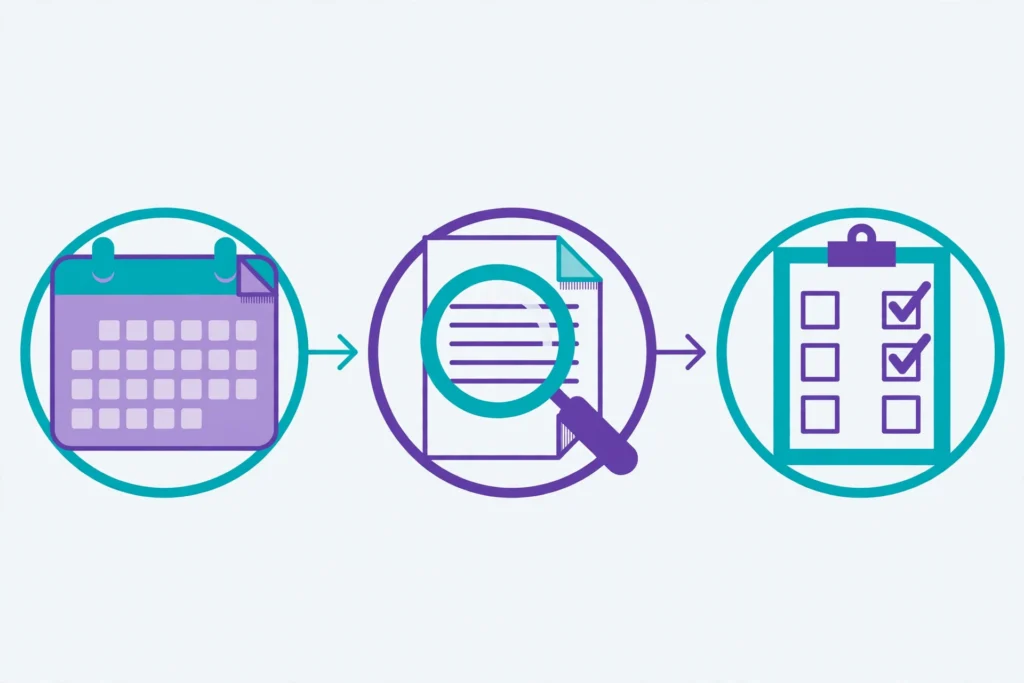
Work through these steps in order, before you enter payment details:
- Select the exact term you plan to buy. The renewal rate can change with the term, so check the 12-month, 36-month, or 48-month option you actually intend to choose, not the cheapest headline term.
- Look for the renewal rate on the plan card. Many hosts print it near the plan price, sometimes as “renews at” followed by a monthly figure. If you cannot find it there, move to the next step.
- Open the checkout order summary. The summary usually shows the first-term total and the renewal rate separately. Read the smaller lines, not only the large total. Screenshot or note both numbers for your own record.
- Add tax and separate renewals. Check whether the shown prices exclude GST, and check whether the domain, mailbox, backup, or security add-on renews separately. Add those to your yearly cost before you compare.
- Work out the cost over two terms. Multiply the first-term monthly figure by the term, then do the same for the renewal figure. That two-term total is the fairest simple comparison between plans.
If a host does not show a renewal rate anywhere before checkout, treat that as a warning sign. You can still proceed, but only after you have asked support, in writing, what the renewal rate and renewal term will be, and saved the answer.
What else can renew separately
The plan price is only one line on the renewal bill. Before you buy, check each of these separately:
- Domain name. A domain offered free for the first year usually renews at the standard yearly rate from the second year, on its own billing cycle.
- Email mailbox. A free mailbox may be a first-year offer only. Check whether it becomes a paid add-on at renewal.
- Backups and security tools. Daily backups, malware scanning, or a premium security add-on may be bundled for the first term and charged separately later.
- SSL certificate. Many plans include a basic certificate, but check whether a premium certificate or a multi-site certificate is a separate paid item.
None of these extras is automatically a trap. The trap is assuming they stay free. A five-minute check of each line in your account billing page prevents a renewal invoice that looks nothing like the signup invoice.
Longer term or shorter term: the trade-off
A longer term locks in the low first price for longer, which delays the renewal jump. That helps if you are sure about the host and the plan, and if you can afford the full upfront payment. It hurts if the host turns out to be a poor fit, because you have already paid for years, and moving early may mean leaving paid time unused.
A shorter term costs more per month at signup, but it brings the decision point sooner. That suits a first website, a learning project, or a site whose traffic and needs may change quickly. You pay more now for the freedom to switch sooner, and you meet the renewal rate earlier, with less money already committed.
There is no universally right term. The right question is: how sure am I about this host for this many years, and what will I pay when this term ends? If you cannot answer the second half, do not buy the longest term only because its per-month figure looks smallest.
If you already bought cheap hosting
If the first term is already running, the renewal trap is still avoidable, because the worst outcome is not a higher price. It is a higher price charged automatically while you were not looking.
- Find your renewal date and renewal amount now. Open your hosting account billing page and note the date, the plan, the renewal term, and the total including tax.
- Set a reminder one month before renewal. That gives you time to compare plans, ask support about a retention offer, or plan a move without rushing.
- Check whether auto-renewal is on. Auto-renewal protects you from losing the site by accident, but it also means the renewal charge can go through without a fresh decision. Decide deliberately whether to keep it on.
- Compare before you renew. Check the renewal total against the current new-customer offers and against one or two other hosts, on the same term length, with tax included. A retention discount is sometimes offered if you ask before renewal, but do not count on it until you see it in writing.
- Take a full backup before any move. If you decide to switch hosts, back up the full site and database first, and confirm the backup is complete and downloadable, before you cancel or change anything on the old account. A move without a tested backup risks the site itself, not only the bill.
Running costs do not stop at hosting. If you sell websites or maintain them for clients, our WordPress freelancer pricing guide and our maintenance retainer guide explain how to price that ongoing work honestly, so a renewal increase does not silently eat your margin.
Pre-buy checklist: use this before you pay
Copy this checklist and answer every line for the exact plan and term you are about to buy:
- First-term monthly price, term length, and total upfront payment, including tax
- Renewal monthly price, renewal term length, and renewal total, including tax
- Two-term total cost, so you can compare plans fairly
- Domain renewal price and date, if the domain is bundled free for the first year
- Mailbox, backup, and security add-on renewal prices, if any
- Refund or money-back terms shown for your plan, read before you rely on them
- Renewal date written down, with a reminder set one month before it
- Auto-renewal setting checked, and a deliberate choice made about it
- Backup plan confirmed, so a future move does not risk the live site
If any line is blank, you do not yet have enough information to compare. Fill it from the pricing page, the checkout summary, or a written answer from support, not from an advertisement or a review roundup.
Common mistakes that make renewal hurt more
- Comparing only the headline price. Two plans with similar first prices can have very different renewal prices. Compare renewals, not headlines.
- Ignoring the term. A 48-month price and a 12-month price are not comparable per-month figures. Compare the same term, or compare totals.
- Forgetting tax. A price shown without GST looks lower than the amount that leaves your account. Add tax before you decide.
- Assuming free extras stay free. Domain, mailbox, and add-ons often renew separately. Check each one.
- Chasing free premium tools to save money. Downloading paid themes or plugins from unofficial free sources can expose the site to malware and lost updates. Our guide to nulled themes and plugins explains that risk in detail.
- Letting auto-renewal decide for you. Auto-renewal is a safety net against expiry, not a decision. Review the renewal amount before the date arrives.
- Moving in a panic at expiry. A rushed move without a backup, during the last days of a term, risks downtime and data loss. Plan the move a month early.
Frequently asked questions
Is the renewal price a scam?
No, not by itself. Introductory pricing followed by a standard renewal rate is a common pricing model across hosting and other subscriptions. It becomes a problem when the buyer never sees the renewal rate, or compares plans only on the first price. The fix is disclosure plus comparison, not assuming every price jump is fraud.
Can I keep the introductory price forever?
Generally no. Introductory pricing applies to the first term you purchase. Renewals are billed at the standard rate unless a new promotion applies to your account. If support offers a lower renewal rate, get it in writing and check the term it covers before you rely on it.
Should I switch hosts at every renewal?
Not necessarily. Switching resets the clock on introductory pricing, but it also costs time, carries migration risk, and often lands you on another introductory offer that will renew higher later. Switch when the renewal total, the service quality, or your needs justify it, not only because a new-customer price looks lower.
Conclusion
Cheap hosting is not a trap in itself. The trap is buying on the first price alone. Find the renewal rate, work out the two-term total with tax, check the separate renewals, and set a reminder before the renewal date. Those four habits cost a few minutes at signup and save the surprise that most beginners only discover in the second bill.
If you want to understand how Padhaku teaches practical digital skills, read how Padhaku works on the About Padhaku page before you pay anyone for a course or a service.
About Padhaku
Padhaku is an India-focused digital skills learning platform founded by Anubhav Shukla. It focuses on making practical digital education more accessible to learners. Its guides aim to explain costs, skills, and risks honestly, without promising income, placements, or results.
Sources and further reading
The reported price figures in this article come from an independent guide that checked Hostinger India pricing on 15 October 2026, and the pricing mechanism described here follows independent renewal guides inspected on 1 November 2026. Prices change, so check the live pricing page and your own checkout total before you buy.